
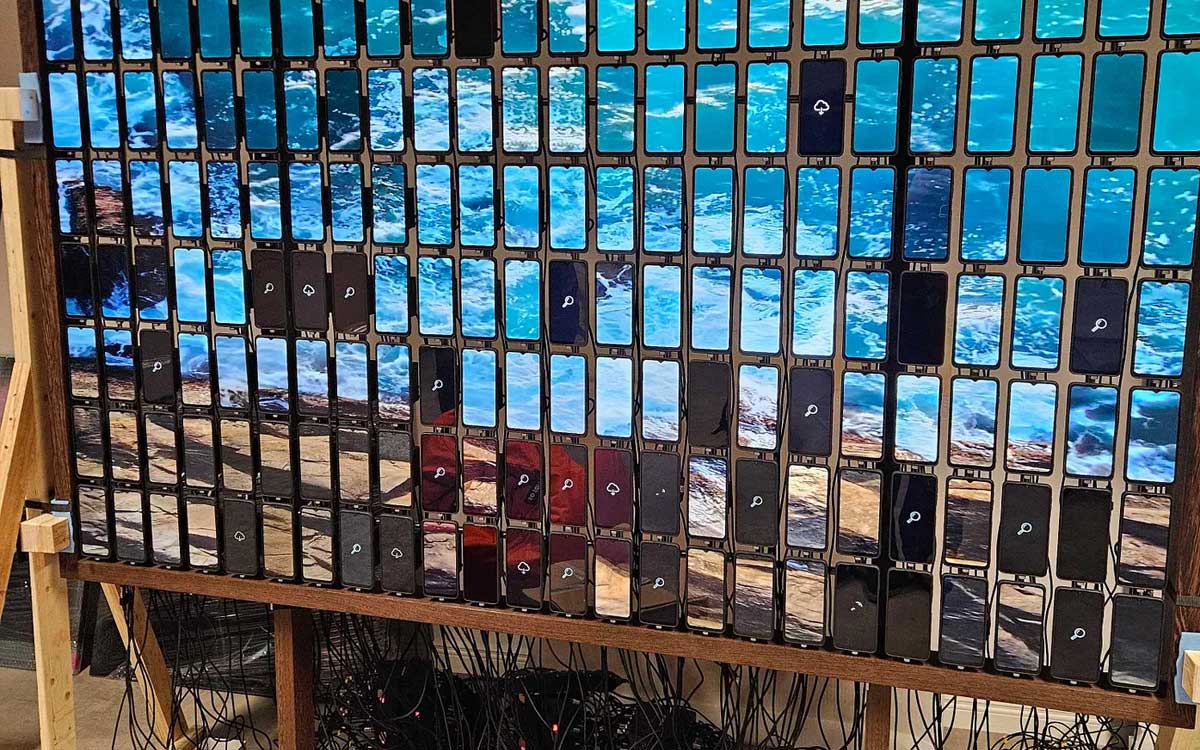
In the business world, we’re always striving to bring back the value in everything we do. While most product companies focus on building what makes sense, Mobi Lab doesn’t mind a little product madness. For us, that usually means something exciting and unique is about to happen.
Whenever someone reaches out to us looking for our services and starts the conversation with “Imagine…”, our inner Mobi Lab scientist gets giddy. It’s in those moments, when things sound a little crazy, that’s where the fun begins. That’s exactly what happened when we got a call from PoCo museum that started with:
“Imagine there’s a wall with 200 used mobile phones… and they’re playing art.”
It was weird, ambitious, and unlike anything we have done before, this was something that would fit our style.
And as any bold idea goes, reality hits pretty fast. We quickly found ourselves in a pile of unknowns, from hardware specification and power constraints to figuring out how to sync 200 devices.
Let’s just say: It wasn’t smooth.
“The devil is in the details.”— Ludwig Mies van der Rohe, architect
What started as a simple “wall of phones playing art” quickly pushed us to rethink how devices can be used in totally new ways. To match the uniqueness of the idea, we began mapping out the core requirements:
After seeing these requirements, we thought this project would be perfect for our prototyping skills. We knew we could do it fast.
First, we scoped out the unknowns and listed the key questions we needed answers to. Then, we put together a plan to build a small test installation, something that would let us design, build, and experiment as we went.

Here’s what went into our setup:
It might read like an ingredients list for some bizarre product recipe, we just needed to start mixing.
Once everything was ordered, we had some time to experiment with the software. The main concern was about.
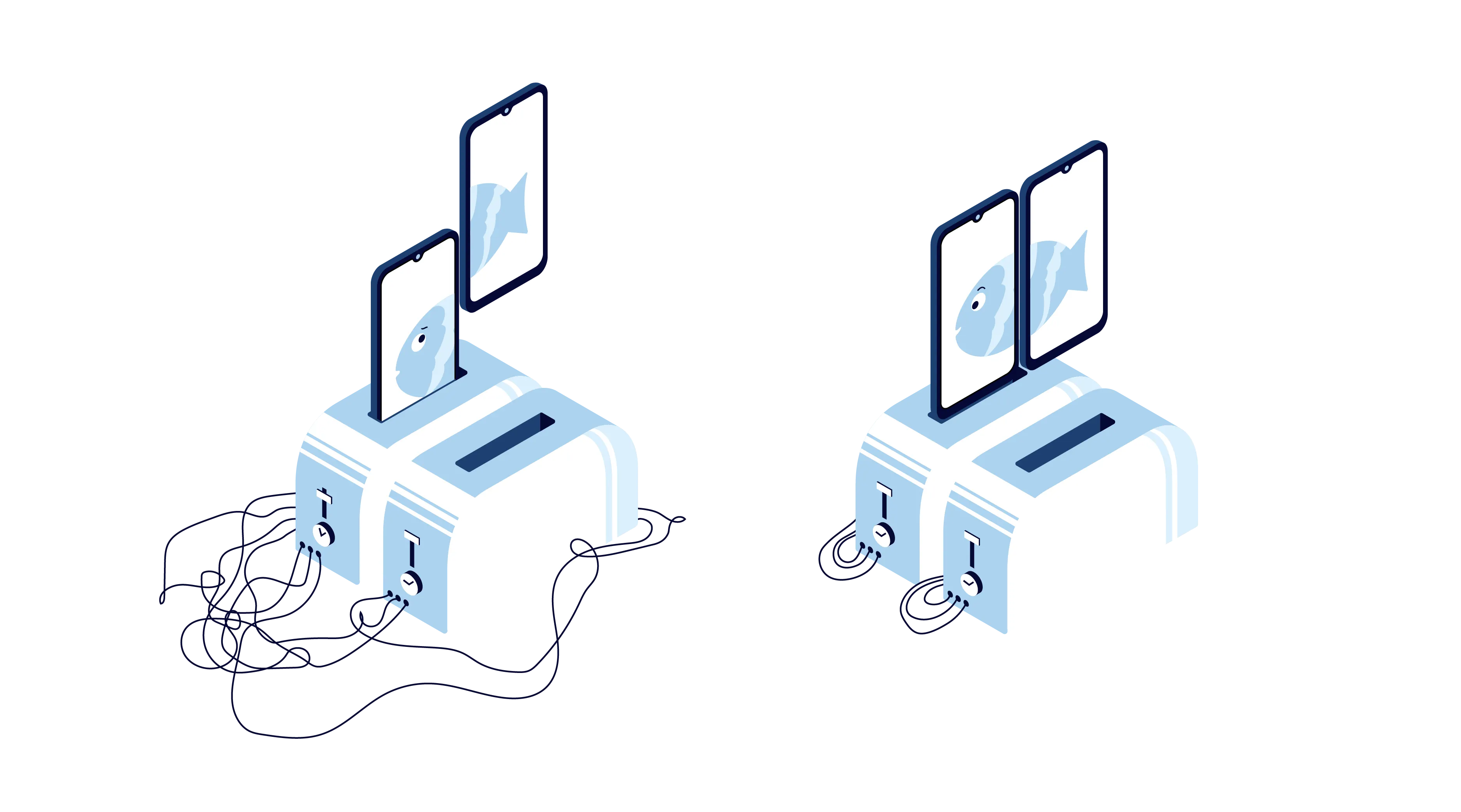
We often live according to the time we believe is correct. We set our own clocks at home, in the kitchen, on our wrist, and those clocks can show slightly different times. For instance, your wall clock might be a few seconds ahead or behind your smartphone or smartwatch.
Now imagine you want to turn on both of your toasters at exactly 8:00:00. You plan to use your phone to turn on the green toaster and your wall clock to turn on the red toaster. Most likely you’ll end up turning one toaster on before the other.
The only way both toasters would be turned on at the same actual moment is if both clocks show exactly the same time, in other words, if they are time-synced.
Now, if we think about our project all these devices has the “slight time difference”, and for our project this was not acceptable.
The first idea we tried was using NTP (Network Time Protocol) to fetch a reliable time in format of timestamp.
We calculated the difference between the device’s time and the NTP time, then delayed a playback start time by that difference before starting video playback. In theory, it was simple and clever.
But when we ran the first test. It wasn’t quite there.
The devices were almost in sync, but not perfectly. There was a small delay between them.
So we went back to the drawing board. After some tinkering, and more than a few experiments, we found a better way.
Time is something we all have in common. January 1st, 1970 (UTC) timestamp was 0. That timestamp became our reference point. We realised that if we take the current timestamp and divide it by the length of the video, we can figure out how many times the video has already looped, and more importantly, when the next loop will begin.
That was our key insight. It gave us a way to calculate the exact moment a video should start playing on each device, no matter when it boots up, so that all devices would stay in sync without talking to each other constantly.
Even if we knew when to play the video, we still needed to figure out what each device should play. That meant slicing up one large video into many smaller segments, one for each screen.
And there’s really good tool for that job: FFmpeg.
Once we started to figure out the math, specifically, how many device sized rectangles could fit into the resolution of the main video. We’d calculate the layout, crop each segment, and scale as needed to match the devices resolution.
A very interesting aspect of this calculation is that we need to include gaps between devices, because all of the devices have bezels and some sort of holders.
After a few tweaks (and a lot of trial and error), it worked surprisingly well. One big video, divided into tiny moving windows. We applied this video cropping logic to our time sync system and the result was looking good.
For a while, our usual software development office transformed into something closer to a hardware workshop.
Drilling sounds became as recognisable as Slack notifications.
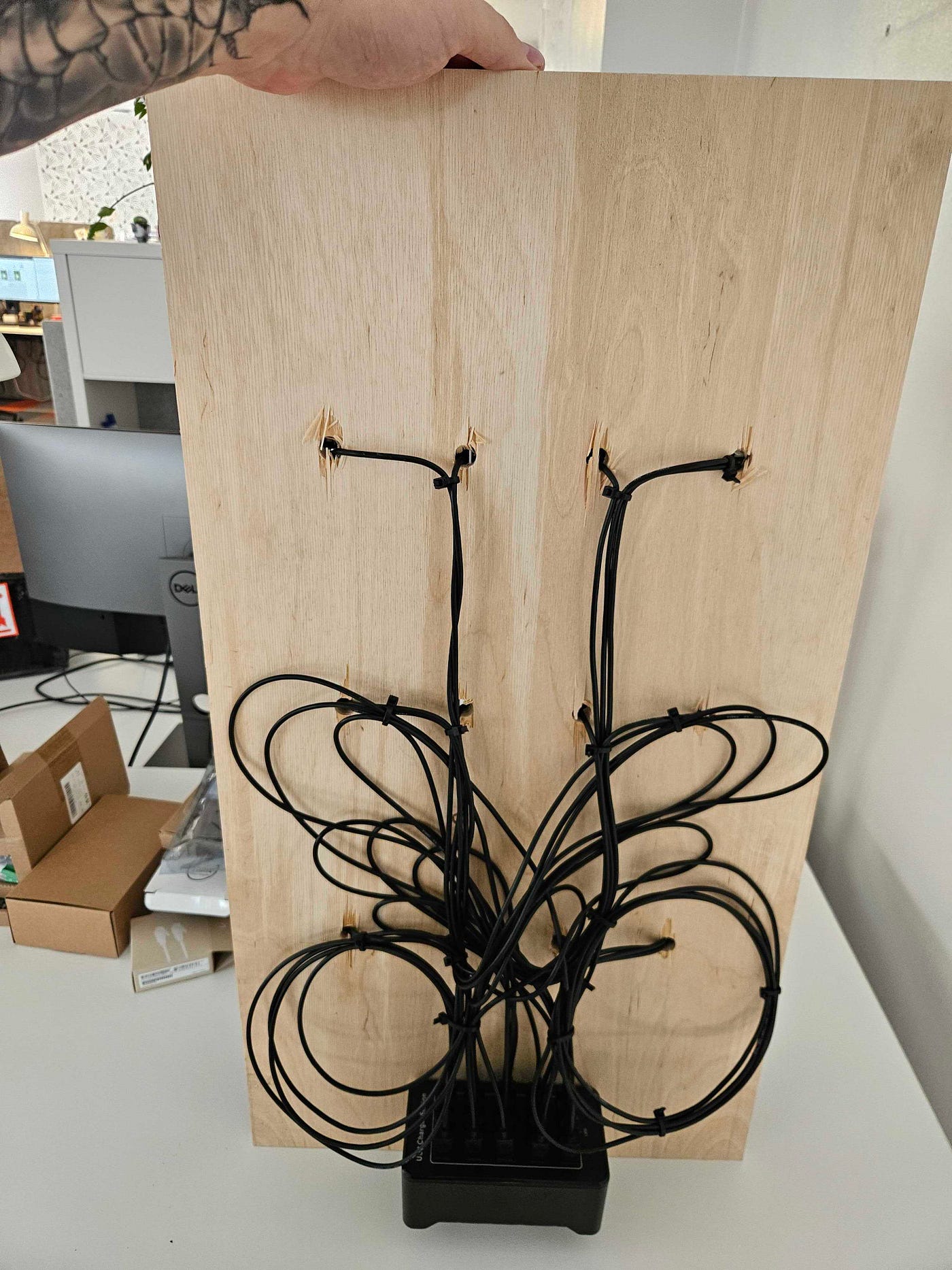
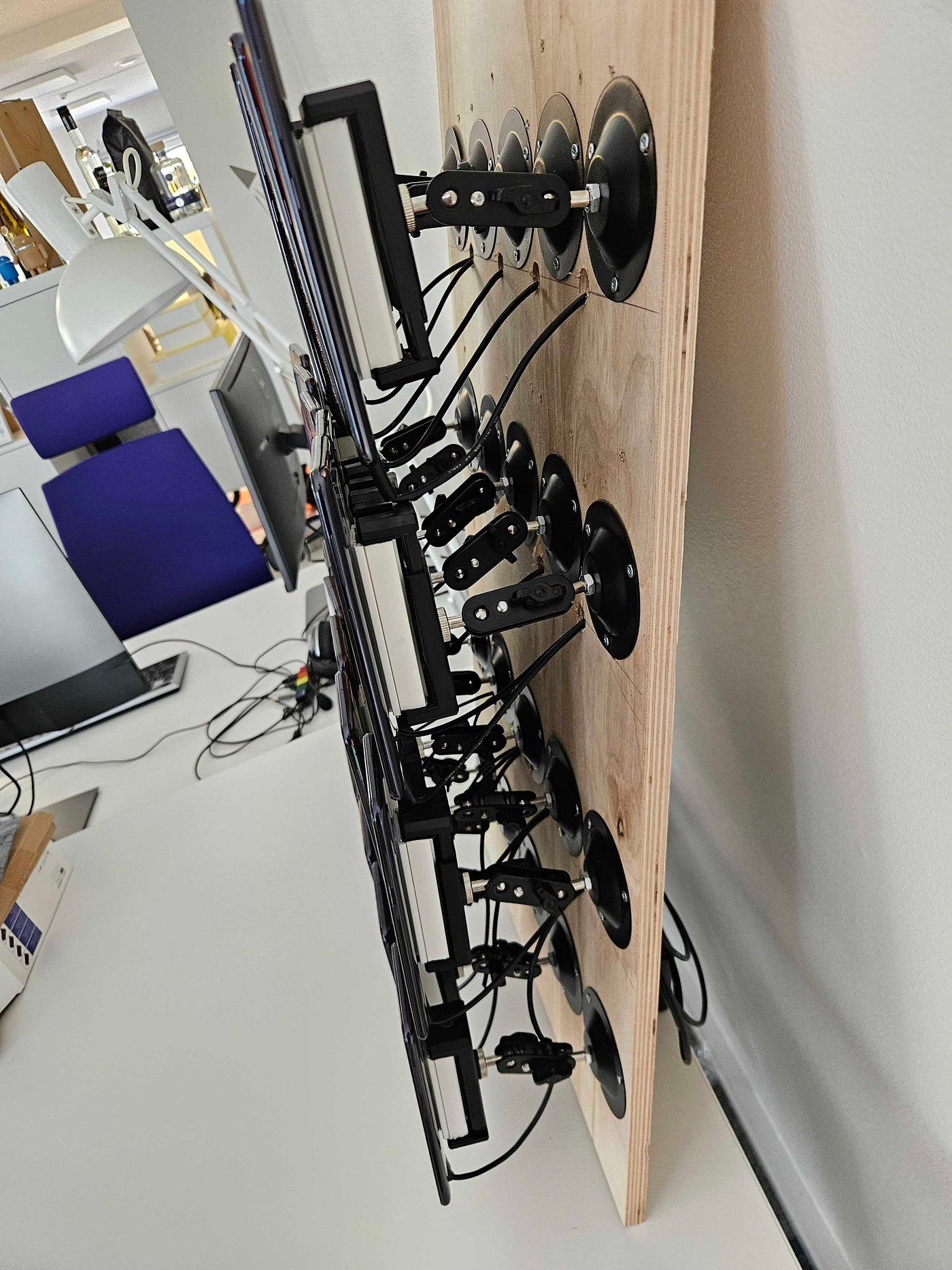
We mounted every device onto a wooden plank, secured them with screws, drilled cable holes, and in true software engineer fashion, used zip ties to make it all look almost pretty.
Once the hardware setup was in place, we shifted our focus to the overall user experience and tying everything together for a working prototype.
The system architecture was simple in concept, but powerful in practice:
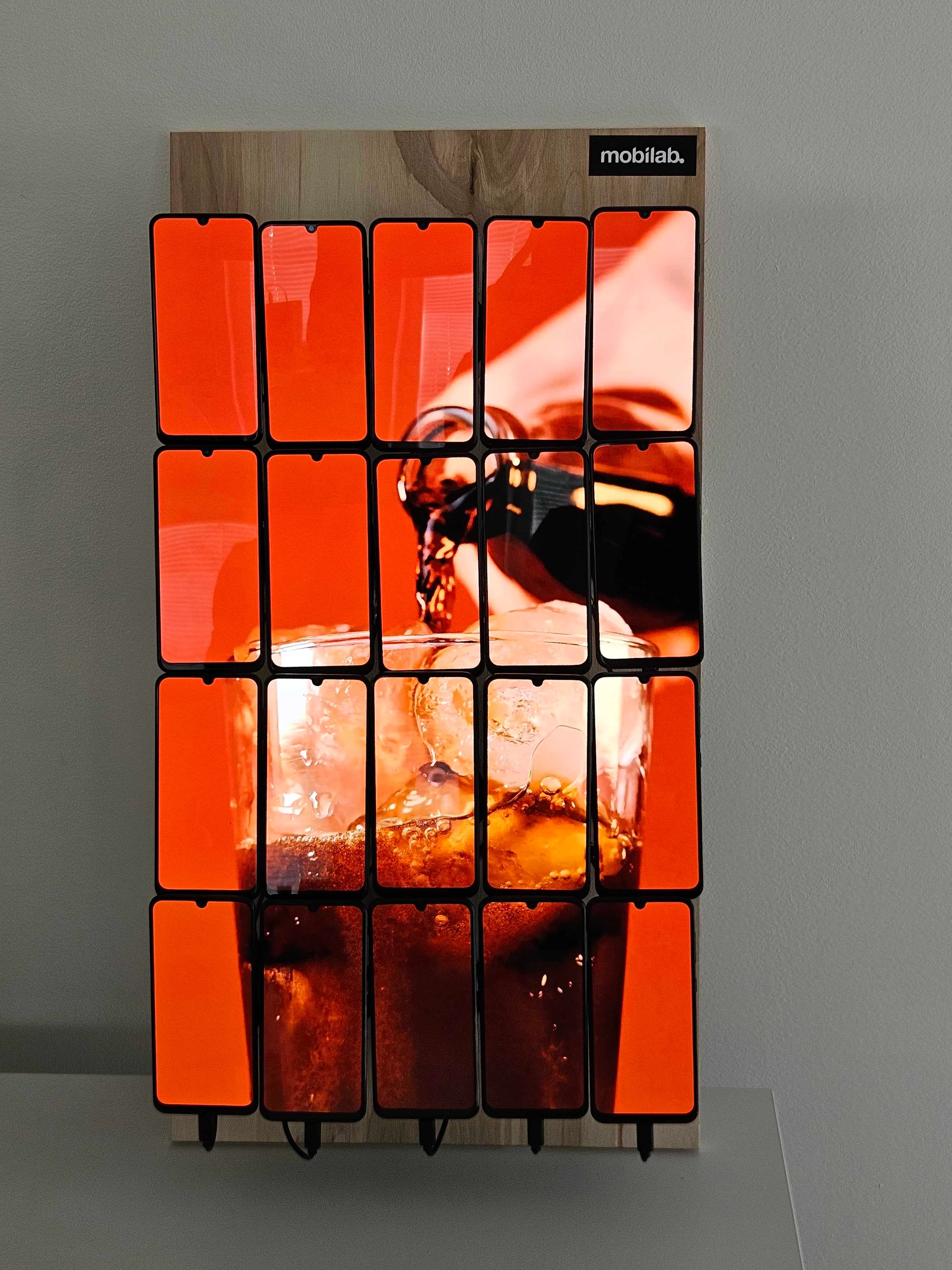
We presented the prototype to the client, and to our relief, they were genuinely happy.
They were impressed how quickly we’d pulled everything together.
But just as we were ready to take a break, the game changed.
A client came up with new idea:
What if we installed the wall inside a tech store showroom? Not just anywhere, but inside a busy supermarket, right in the middle of the action.
Store’s grand opening was just around the corner. The timeline was tight, really tight, and suddenly, we weren’t refining a prototype.
We were preparing for a real-world launch in a public space.
Just because a prototype works doesn’t mean the product is ready. We learned that the hard way. The moment we moved from a 20 device test setup to a full wall of 168 phones (reduced from the original 200), the cracks started to show.
One of the biggest dependencies, a stable internet connection, suddenly became our biggest enemy.
But even before that, we realised another major flaw in the original plan:
Our idea to use cheap cloud compute for video cropping just wasn’t sustainable. Cropping video for 168 devices took 7 to 8 hours, far too long for anything resembling real-time updates.
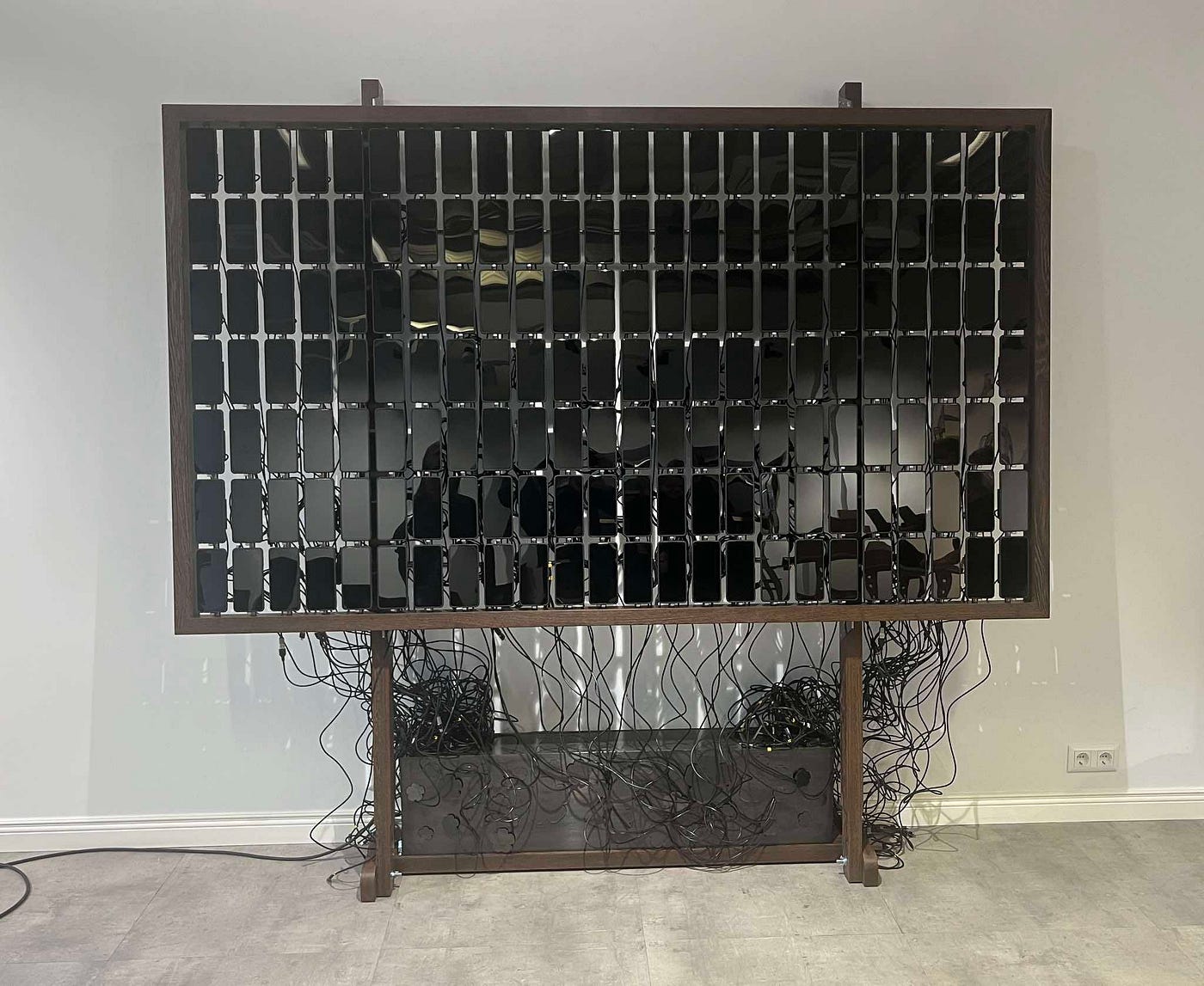
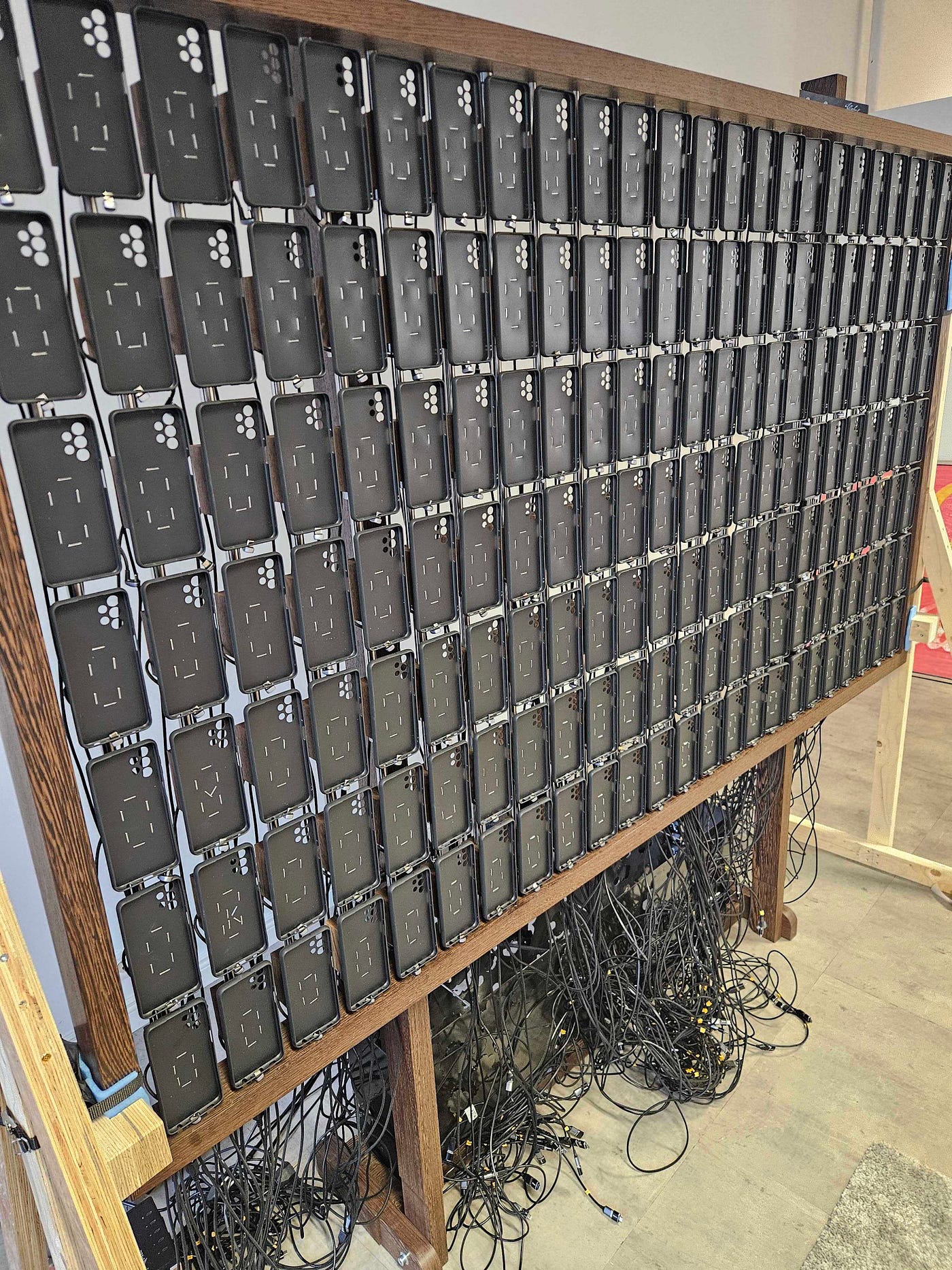
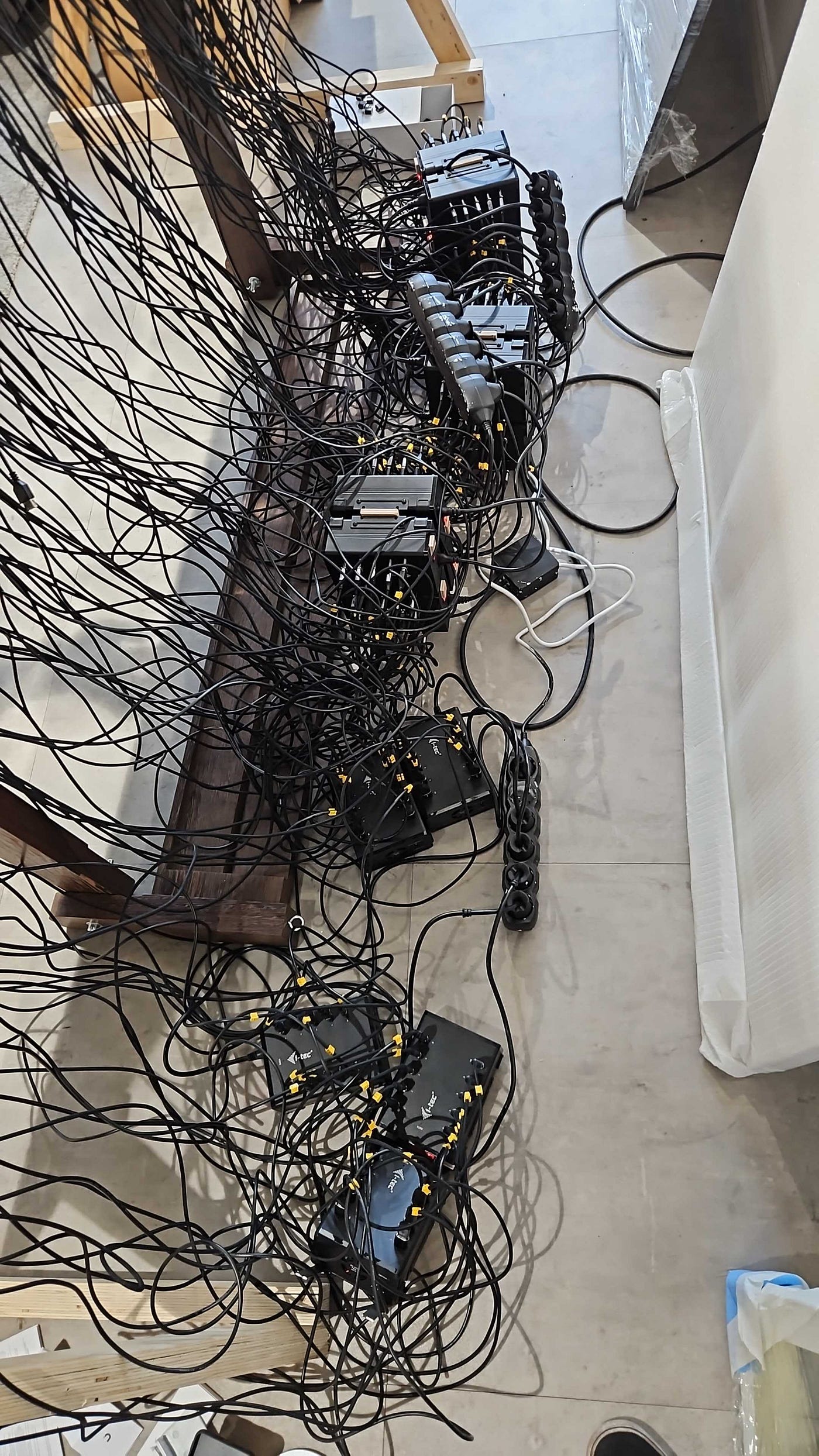
Then came the hardware curveballs:
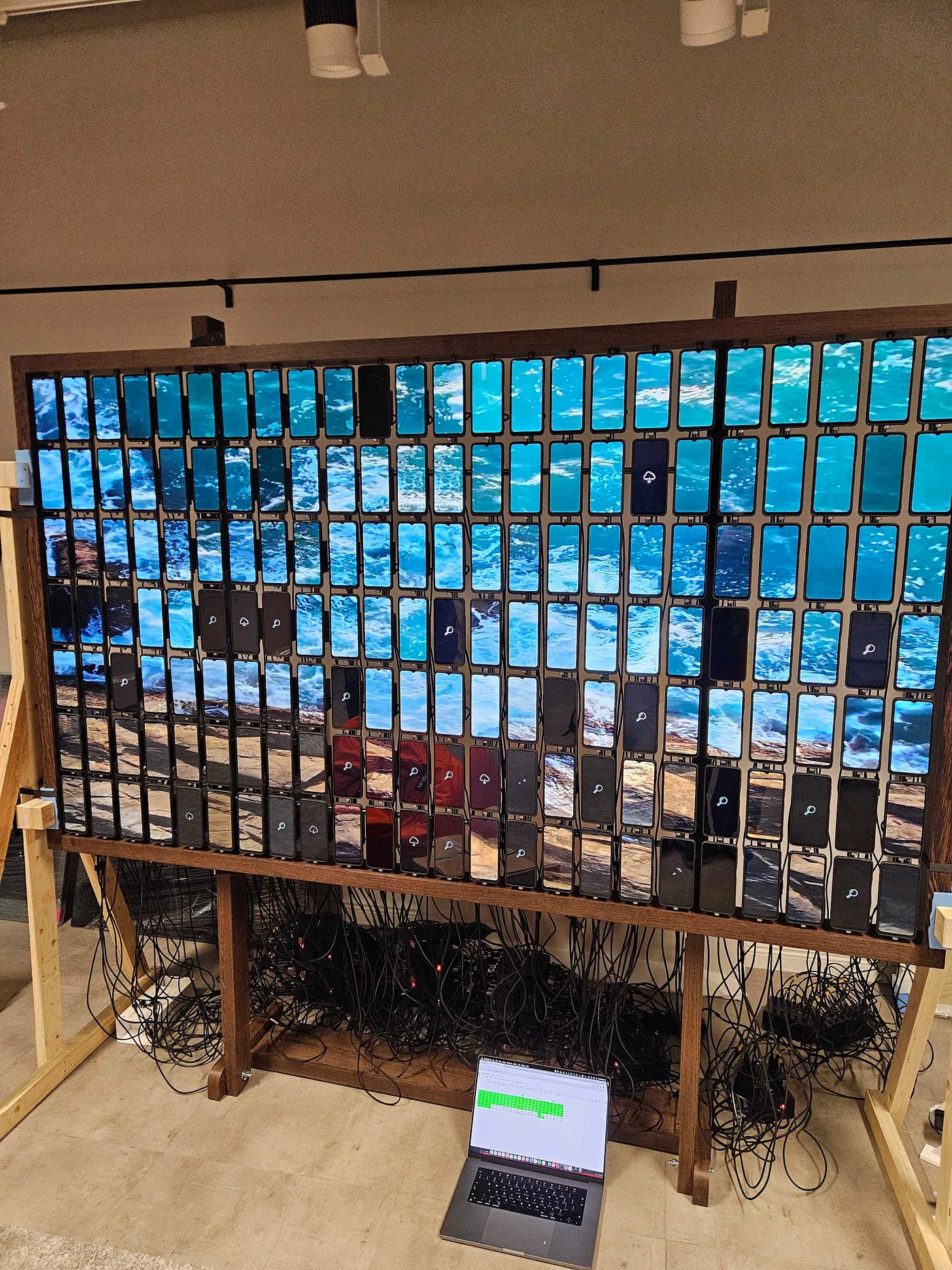
As the list of issues grew, so did the pressure. With the presentation day just around the corner, two days away, to be exact, we felt the mounting stress.
We pulled late nights, drank a lot of coffee, and started building realtime status system.
It tracked:
This information gave us a live dashboard of the wall's health.
See polnud ilus, kuid andis meile kontrolli ja võimaluse kõik õigeks ajaks kokku panna.
Esitluspäevaks olime muutnud:
Esitluspäev oli edukas, sein oli poes ja töötas korralikult.
Praegu on installatsioon videoid mänginud 5 kuud ja see on endiselt sünkroonis. Muidugi on siin-seal vaja hooldustöid teha, kuid üldiselt on projekt edukas.
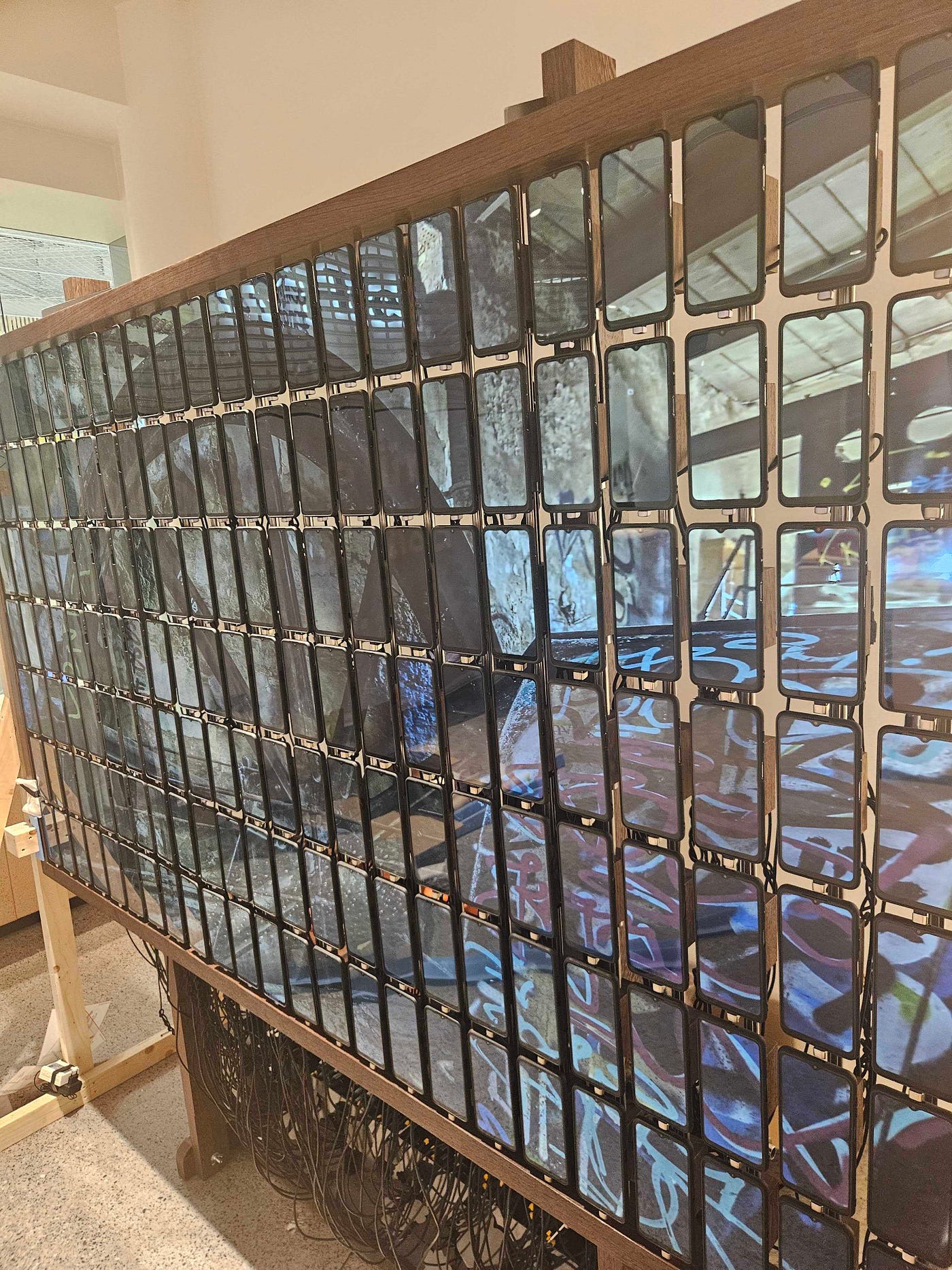
Kogu stressi kadudes vaatame sellele projektile tagasi kui huvitavale kogemusele millegi unikaalse ja igapäevaselt mittenähtava ehitamisel. Kui soovid ehitada sarnast projekti, siis siin on mõned õppetunnid:
Isegi kui projekt on visiooniline ja sellel puudub „mall“, ei tähenda see, et seda ei saa teha ja et seda tehes ei saa lõbutseda. See projekt oli midagi, mille saame panna eksperimentide kasti ja märkida lahendatuks. Kas teil on midagi, mis tuleks lahendada Mobi Lab ? Rääkige meile oma ideest hello@lab.mobi